![Variation=Brandmark, Color=WhiteVector.svg]](https://support.q7leader.com/hubfs/Variation=Brandmark%2c%20Color=WhiteVector.svg)
Succession planning in MyQ7Leader provides a structured approach to preparing for future changes within your team.
You can identify potential successors for key roles, designate who might step in if a team member leaves, and map out the next career move for your talent pool.
These features help ensure continuity and support career growth by aligning team members with future opportunities within the company.
Succession Planning is only available in combination with the RDP module.
The RDP module must be activated in order to access this feature.

To be able to see and use this feature, you must also have the appropriate permissions to manage it. As an Admin, the following permissions must be enabled in your role:

Please note that a manager does not need full RDP permissions to manage succession for their team. In fact, no RDP permissions are required: only the access:succession permission is necessary.
Where to Find Succession Planning
Navigate to the TeamScan section and click on your team member’s TeamScan to open it.
In the panel on the right side of the screen, you’ll find an overview of what is already planned for this team member.
From this panel, you can also remove planned next career moves by clicking the trash icon next to the corresponding entry.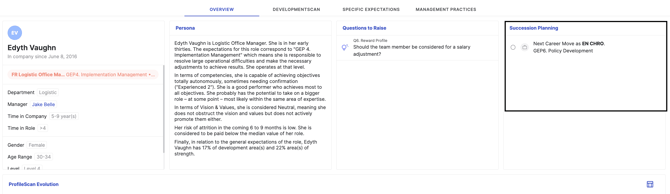
How to Create a Next Career Move (RDPs Required)
The Next Career Move field is only available if RDPs are activated in your system. To appear in the list, the RDP must be published.
-
Navigate to your team member’s profile.
-
Click the arrow next to the ProfileScan icon.
-
Select Next Career Move.
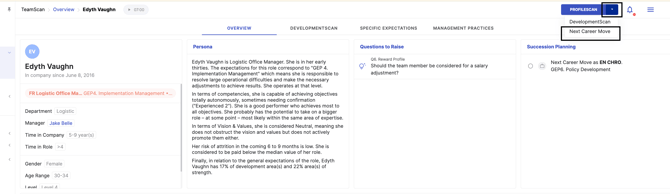
This option allows you to define a future role the team member may move into.
-
Select a published RDP from the list.
-
Choose a target date for the move.
-
Click Save to confirm your selection.
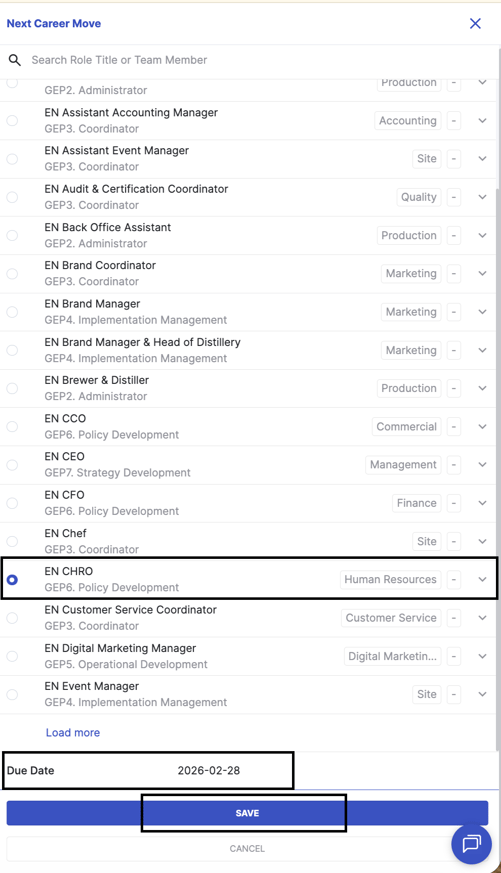
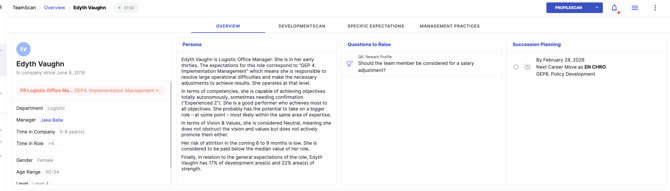
After saving, the next career move will appear on the team member’s profile.
Strategic Succession Planning
Shift from individual-level succession planning to a more strategic, cohort-based approach, allowing you to identify and prepare groups of high-potential employees for key roles in the organization.
1. Create a Talent Pool Cohort
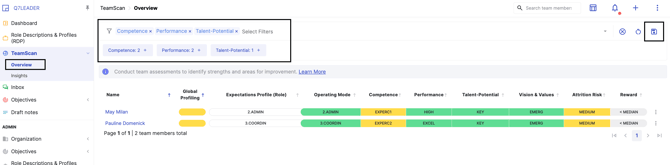
In TeamScan, start by identifying a group of high-potential employees who could be considered for future key roles.
Use filters such as:
-
Competence: Experienced, Specialist, Guru
-
Performance: High, Excellent, Outstanding
-
Talent & Potential: Rising Star, High Potential, Star
Please consult this article to learn how to create filters.
Once filtered, save this group as a Talent Pool cohort so it can easily be reused for succession planning and talent reviews.
2. Identify Gaps for Key Roles
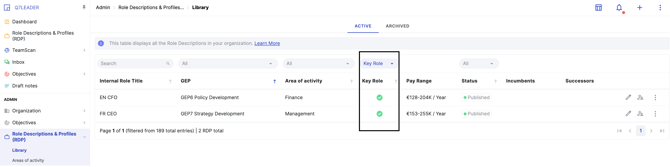
Go to the RDP Library and apply the Key Roles filter.
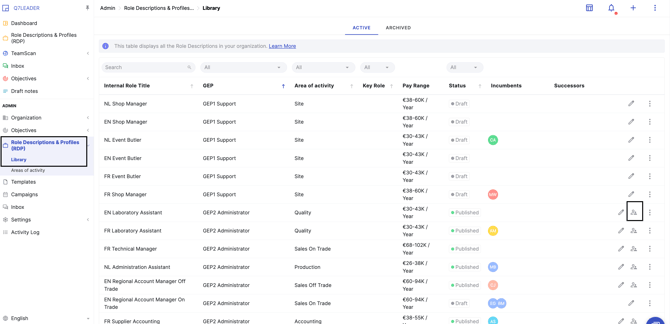
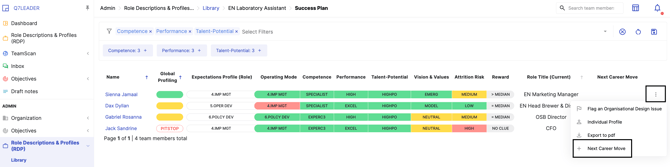
Then, by clicking the icon Success Plan, you’ll access the TeamScan view, where you can assign successors to the selected RDP.
The goal is to identify the most critical roles in your organization and ensure each one has a designated successor.
From there, apply the saved Talent Pool cohort filter to quickly identify potential candidates from your talent pool who could succeed these roles.
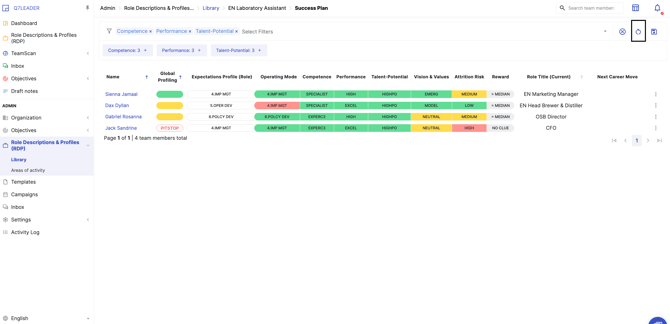
This helps highlight:
-
Roles with strong succession pipelines
-
Roles with no identified successors
-
Employees who could fill strategic talent gaps
3. Assign Successors
Once you have identified a suitable candidate:
-
Click on the three dots next to the candidate you want to develop for a future role
-
Select “Next career move”
-
Choose the target role to register them as a potential successor
This step formalizes the succession plan and helps track future career paths and readiness for key positions.