![Variation=Brandmark, Color=WhiteVector.svg]](https://support.q7leader.com/hubfs/Variation=Brandmark%2c%20Color=WhiteVector.svg)
To enable the connection between your database and ours via an API, you will need to access your MyQ7Leader database through a token.
Important: This token is highly sensitive. Please share it securely.
Steps to Generate Your API Token
-
In the Admin Section, go to Settings
Navigate to the Integrations section.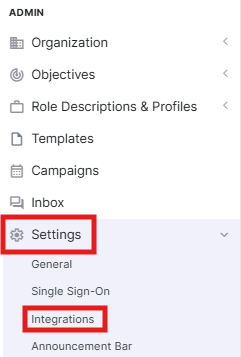
-
Generate a New Token
Click “Generate New Token” to start the process.
-
Enter Required Information
Fill in the requested fields. Enable Read or Write access, depending on your needs. Then click Save.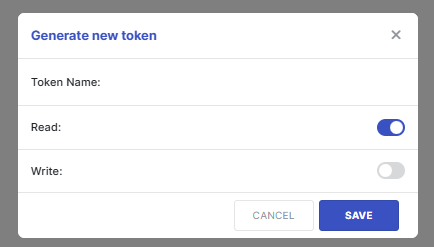
-
Copy the Token
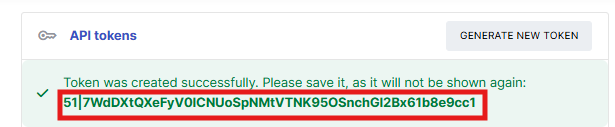
After saving, a confirmation message will appear. Copy the token displayed in dark green and share it securely with the appropriate person.