![Variation=Brandmark, Color=WhiteVector.svg]](https://support.q7leader.com/hubfs/Variation=Brandmark%2c%20Color=WhiteVector.svg)
Your profile photo is visible across the platform.
Once uploaded, it will appear on the dashboard as well as throughout all modules where your initials are displayed by default, helping other users easily recognize and identify you.
Supported formats include JPEG, PNG, and WebP. If no profile photo is set, your initials will be displayed by default across the platform.
How to Add a New Profile Photo
- Navigate to your name in the bottom-left corner of the screen.
- Click Profile.
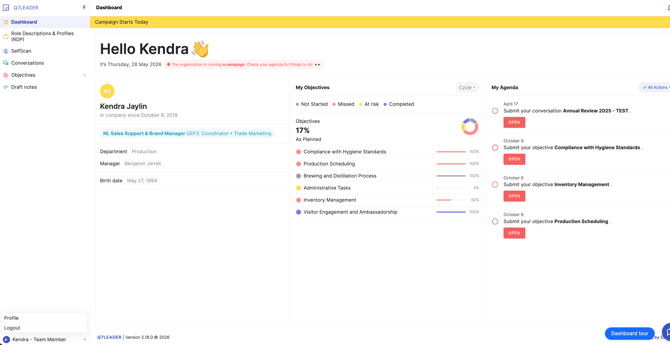
- Select Upload Photo.
- Choose the picture you would like to use.
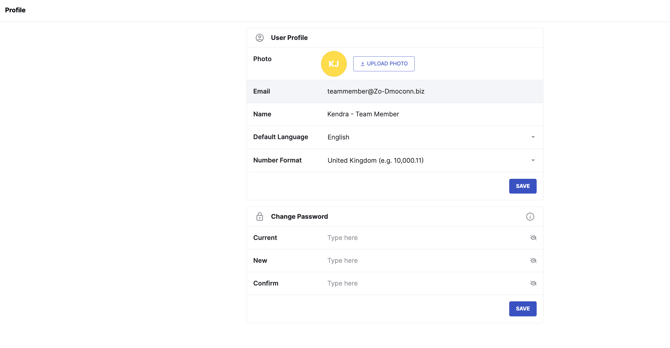
How to change your Photo
Next to your current photo, click Upload Photo to select a new picture.
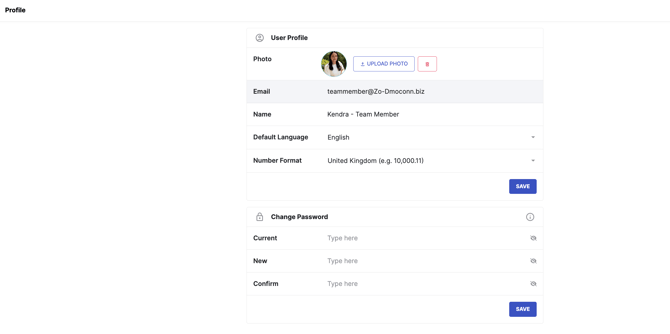
How to delete your Photo
Next to your current photo, click the trash icon to delete your picture.