![Variation=Brandmark, Color=WhiteVector.svg]](https://support.q7leader.com/hubfs/Variation=Brandmark%2c%20Color=WhiteVector.svg)
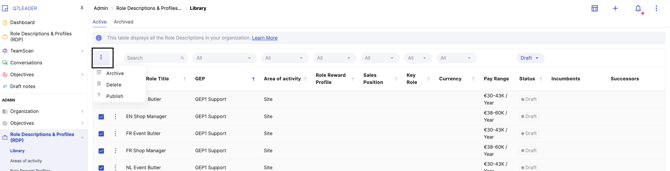
As an administrator, you can perform the following bulk actions in the RDP module:
- Archive: only draft RDPs can be archived.
- Delete: only draft RDPs can be deleted.
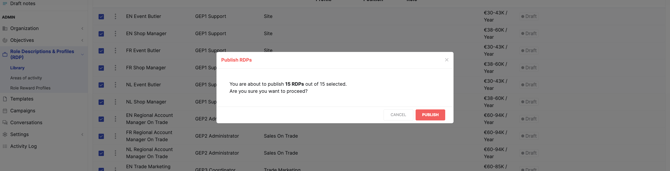
- Publish: only draft RDPs can be published.
Navigate to the RDP module and the Library from the Admin section.
- If you need to perform a single action on one row, click the three dots at the front of the row.
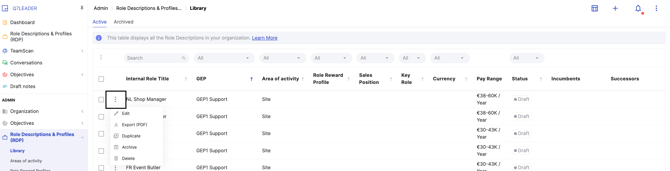
- If you need to perform one of these actions on multiple items at the same time, you can do so in bulk by using the checkbox to the left of the Internal Role Title column.
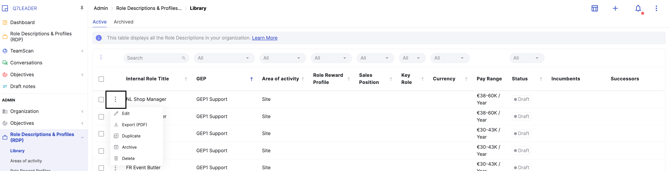
You can perform bulk actions by applying filters to the relevant column:
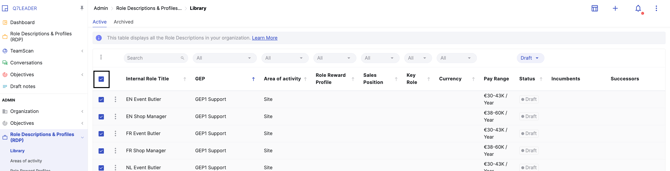
- For example, using the Status column, you can select several at the same time.
- Once you have chosen your filter, you can select all the items.
- Then, click the three-dot menu on top of the checkbox
-
Select the action you want to perform and then confirm when the pop-up window asks for your confirmation.
A notification message will appear if you attempt to perform an action that is not allowed. For example:
- If you try to publish RDPs that are already published.
- If you try to delete published RDPs: you must first unpublish them individually.
- If you try to archive published RDPs: you must first unpublish them individually.